On this page
- What Is Autonomous Post-Production?
- The Rise of AI in Video Editing
- How Autonomous Post-Production Works
- Key Benefits for Creators and Teams
- Top Tools Powering Autonomous Workflows
- Best Practices for Effective Implementation
- Common Mistakes and How to Avoid Them
- Real-World Case Studies and Results
- The Future of Autonomous Post-Production
- Frequently Asked Questions
- Related Articles
Struggling to turn hours of raw footage into viral short-form clips without burning out your team? Video creators lose up to 70% of their time in manual post-production, killing momentum on TikTok and Reels. This article uncovers everything about autonomous post-production, from AI workflows to top tools and best practices, empowering you to automate and scale like Y Combinator-backed pros.
What Is Autonomous Post-Production?
Autonomous post-production is the next step in video creation. It moves beyond simple tools that help you edit and introduces systems that edit for you. Instead of manually cutting silence or selecting clips, software uses logic to make creative decisions.
It changes the workflow from "doing" to "reviewing." You upload raw footage, and the system returns finished assets ready for distribution.
"Automated video editing – The use of AI to perform basic editing tasks like cutting, trimming, and adding transitions or effects automatically." - BigMotion AI Glossary (bigmotion.ai)
This shift allows creators to focus on strategy rather than timeline management. It is not just about speed. It is about removing the technical friction between an idea and a published video.
The Rise of AI in Video Editing
We used to rely entirely on manual cuts. Then came "smart" tools that could stabilize shaky footage or sync audio. Now, as of 2026, we have fully integrated AI suites. Major platforms like Adobe Premiere Pro and DaVinci Resolve have adopted these features rapidly to keep up with demand.
The evolution happened in three distinct phases:
- Assisted Editing: Tools that fixed specific problems like noise reduction.
- Generative AI: Features like Generative Fill for removing objects or extending backgrounds.
- Autonomous Agents: Systems that handle the entire pipeline from transcription to export.
These advancements streamline workflows significantly. They allow solo creators to output the volume of a full media team without the overhead.
How Autonomous Post-Production Works
The process might feel like magic, but it is built on specific machine learning operations. The software does not just "see" pixels. It analyzes context. It utilizes algorithms to break down footage into data points, identifying speakers, topics, and emotional cues.
Here is the general flow:
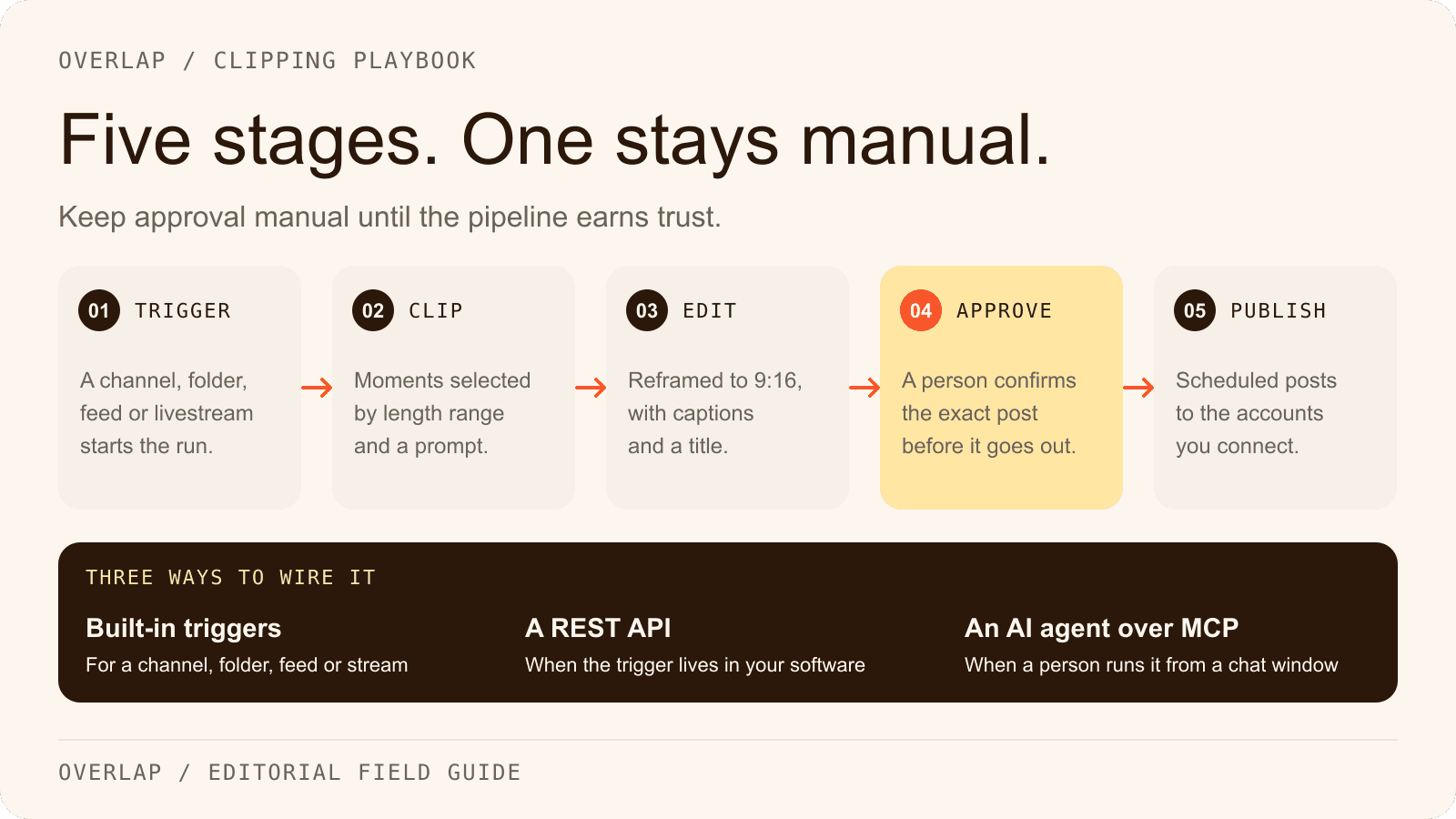
- Ingestion: You upload raw video files.
- Processing: The system transcribes audio and scans visual data.
- Execution: It applies cuts, effects, and formatting based on rules.
Initial Footage Analysis and Scene Detection
The first step involves a deep scan of your source material. The AI listens to the audio track to generate a transcript and analyzes the visual frames to detect scene changes. It identifies key moments based on pacing, laughter, or keyword density. This effectively creates a map of your video content, separating the usable footage from the fluff without you needing to watch a single second of it.
Automated Clip Generation and Enhancement
Once the best moments are identified, the system isolates them. It automatically tightens the pacing by removing silence and filler words. This is where the heavy lifting happens. The software also handles color correction and audio balancing instantly. It ensures that every clip meets a baseline standard of quality. This reduces manual editing time from hours to minutes, delivering a rough cut that is often ready for immediate use.
Customization, Branding, and Export
The final stage is packaging. The system applies your specific branding rules, such as fonts, colors, and logo placement. It formats the video for different platforms, ensuring the aspect ratio fits TikTok, YouTube Shorts, or LinkedIn perfectly. This is not just resizing. It is intelligent reframing to keep the subject in focus. Finally, the tool exports the files, ready for scheduling or direct publishing.
Key Benefits for Creators and Teams
The primary advantage is obvious: time. But the benefits go deeper than just saving hours in the edit bay. Autonomous workflows fundamentally change the economics of content production.
Why it matters:
- Volume: You can produce 10x the content with the same resources.
- Consistency: AI does not get tired. Every video follows your exact style guide.
- Focus: It elevates the creative process. You spend time on storytelling, not technical troubleshooting.
By removing the manual burden, these tools provide quicker turnaround times. This allows amateur filmmakers to compete with professional studios in terms of output quality and frequency.
Top Tools Powering Autonomous Workflows
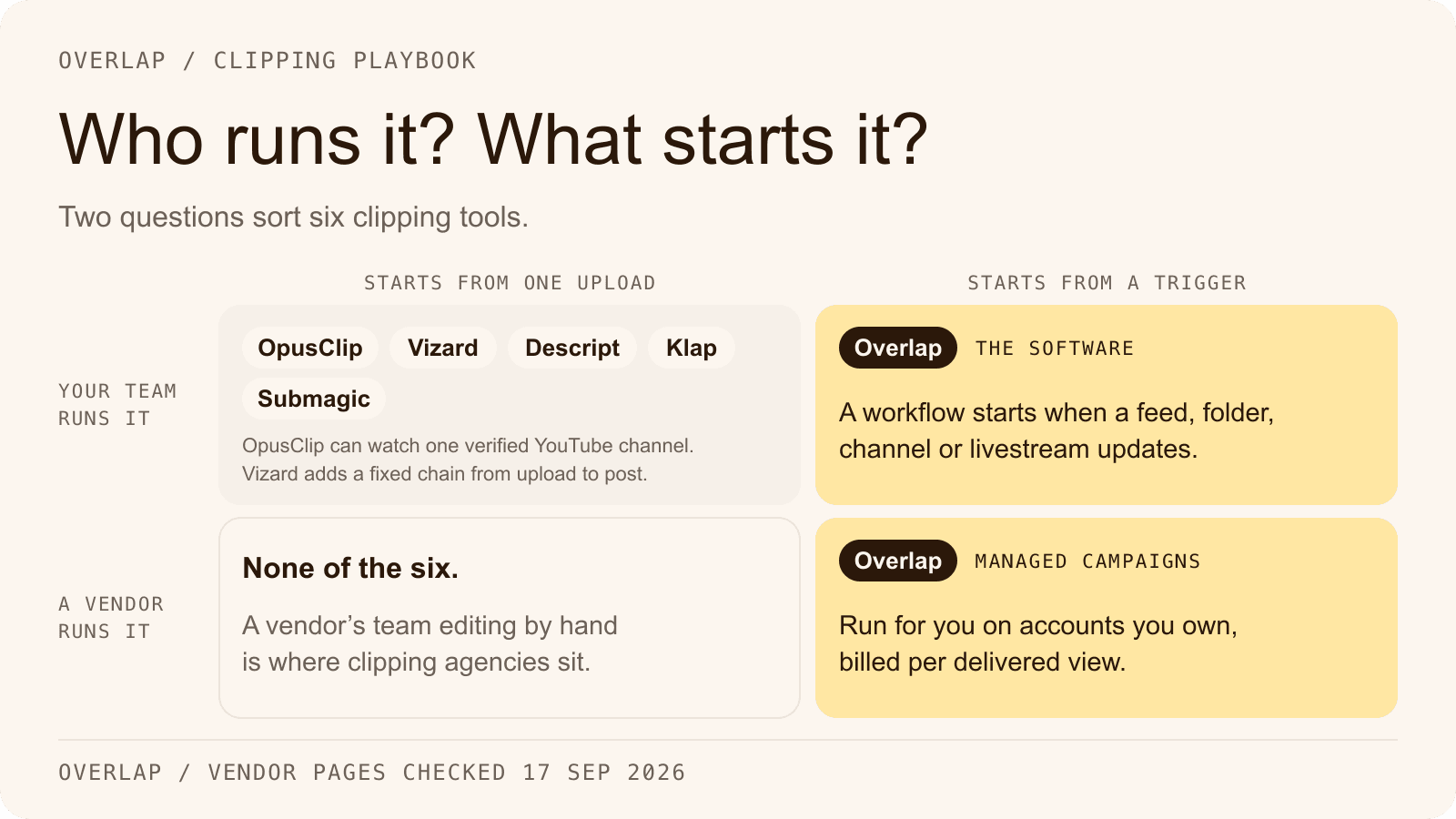
The market is split between traditional editors adding AI features and new, AI-native platforms designed for automation. Choosing the right one depends on your specific needs.
Here is how the landscape looks right now:
| Tool Category | Key Examples | Best For |
|---|---|---|
| Traditional NLEs | Adobe Premiere Pro, Final Cut Pro | Deep, granular control with AI assistance |
| Color & Cinema | DaVinci Resolve | High-end finishing and scene detection |
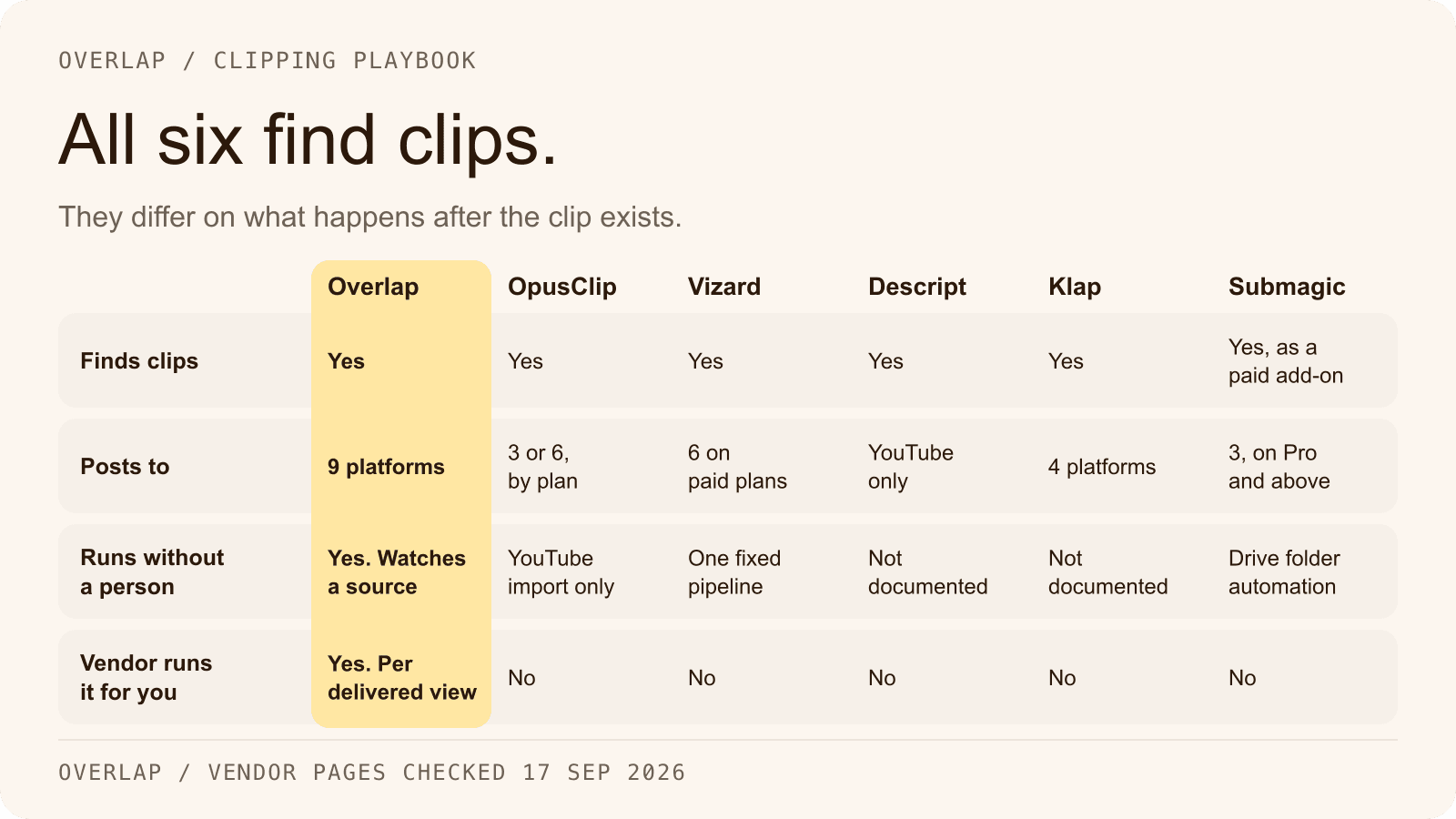
| AI-Native Platforms | Overlap, Opus | End-to-end automation and social clips |
Adobe Premiere Pro has integrated features like Speech to Text and Remix for audio, making it powerful for editors who still want manual control. DaVinci Resolve excels at transcription and scene detection. Meanwhile, platforms like Overlap focus on agentic workflows that handle the entire process for you.
Best Practices for Effective Implementation
Automation is powerful, but it is not a replacement for strategy. To get the best results, you need to set the system up for success. The quality of your output is directly tied to the quality of your input and your process.
If you treat these tools as "set it and forget it" without initial configuration, you will get generic results. You need to guide the AI to understand your specific style and goals.
Optimize Source Video Quality
AI cannot fix everything. If your source audio is echoed or the video is blurry, the automated transcriptions will fail. Clear audio is critical because most autonomous editing relies on text-based editing. Ensure your lighting is consistent so the AI's color grading algorithms have a solid baseline to work with. High-quality inputs lead to high-quality automated outputs.
Leverage Custom Prompts and Settings
Don't stick to the defaults. Most advanced tools allow you to set parameters for pacing, clip length, and keyword focus. Tell the system exactly what you are looking for. If you want high-energy clips, adjust the settings to prioritize fast cuts and loud audio spikes. Using custom prompts helps the AI filter out irrelevant content and zero in on the moments that actually matter to your audience.
Maintain Human Oversight for Polish
The AI gets you 90% of the way there, but the final 10% is where your brand voice lives. Always review the output. Check for awkward cuts that cut off a sentence too early. Verify that the captions are spelled correctly, especially for proper nouns or industry jargon. Human oversight ensures the content feels personal and authentic, preventing the robotic feel that comes from purely automated content.
Common Mistakes and How to Avoid Them
Even with the best tools, things can go wrong if you are not careful. The biggest error is assuming the AI understands context as well as a human does. It doesn't.
Watch out for these pitfalls:
- Over-reliance: Trusting the auto-generated captions without proofreading.
- Generic styling: Using default templates that look like everyone else's content.
- Ignoring platform nuance: Posting a video formatted for YouTube Shorts directly to LinkedIn without adjusting the tone or captioning style.
To avoid these, always treat the AI output as a draft, not the final product. A quick manual review prevents embarrassing errors and keeps your quality high.
Real-World Case Studies and Results
We are seeing massive shifts in how media companies operate. Consider a typical podcast production team. Previously, they might have spent three days editing a one-hour episode into snippets. With autonomous workflows, that same team can process five episodes in a single afternoon.
The impact is measurable:
- Production Speed: Teams report cutting production time by 70% or more.
- Engagement: By releasing more clips more frequently, creators see compounded growth on platforms like TikTok and Instagram.
- Cost: Lower post-production costs mean budget can be reallocated to better equipment or more ambitious shoots.
This isn't just theory. It is the new standard for high-growth content strategies.
The Future of Autonomous Post-Production
We are moving toward a world where "editing" becomes an invisible layer of the creative stack. In the near future, you won't just have an AI editor; you will have an AI production manager.
These systems will not only cut the video but also analyze performance data to inform future edits. They will suggest topics based on trending keywords and automatically update old content with new branding. The goal is fully agentic workflows, where the software proactively manages your content library. The creators who adopt these systems now will define the pace of media for the next decade.
Frequently Asked Questions
Is autonomous post-production suitable for beginners?
Yes, beginners benefit most as it handles technical edits automatically, requiring only raw footage upload and review. Tools like Opus simplify workflows, enabling novices to produce professional clips in under 30 minutes without prior editing skills.
What are the costs of top autonomous post-production tools?
Costs vary: Adobe Premiere Pro starts at $22.99/month with AI features; DaVinci Resolve offers a free version with pro tools. AI-native platforms often work differently — Overlap, for instance, prices each team on a custom quote from its sales team, so what you pay is scoped to the volume you run rather than read off a page.
How accurate are AI transcriptions in autonomous editing?
AI transcriptions achieve 95-98% accuracy for clear audio, per 2026 benchmarks from Adobe and Blackmagic. Poor audio drops it to 80%; always proofread for accents, jargon, or background noise to ensure precision.
Can autonomous post-production handle multi-camera footage?
Yes, it syncs multi-camera footage via audio waveforms and visual cues, automating cuts based on speaker detection. DaVinci Resolve excels here, reducing sync time from hours to seconds for interviews or events.
What hardware is needed for autonomous post-production?
A modern GPU like NVIDIA RTX 30-series or Apple M2 chip with 16GB RAM suffices for most tools. Cloud-based options like Overlap require no high-end hardware, processing via internet on standard laptops.
Related Articles
Check out these related articles for more information:
- 10 best AI-powered video editing tools - Directly supports the article's discussion of AI editing tools with a comprehensive resource for readers wanting specific tool recommendations.
- Overlap - Natural link to the homepage when mentioning Overlap as an AI-native platform example in the tools comparison table.
- 151 million views in 60 days - Provides concrete proof of autonomous post-production benefits with real-world results that validate the article's claims about volume and efficiency.
- how is Overlap different - Helps readers understand the distinction between traditional NLEs and AI-native platforms mentioned in the tools section.
- ChatGPT 5 integration - Connects to the evolution of AI in video editing and autonomous agents discussion with cutting-edge AI developments.