Skip to content
Overlap for Podcasters

Every episode is fifty clips you never cut.

A campaign that works the whole back catalogue and posts to accounts the show owns — billed on the views it delivers, not the hours it takes.

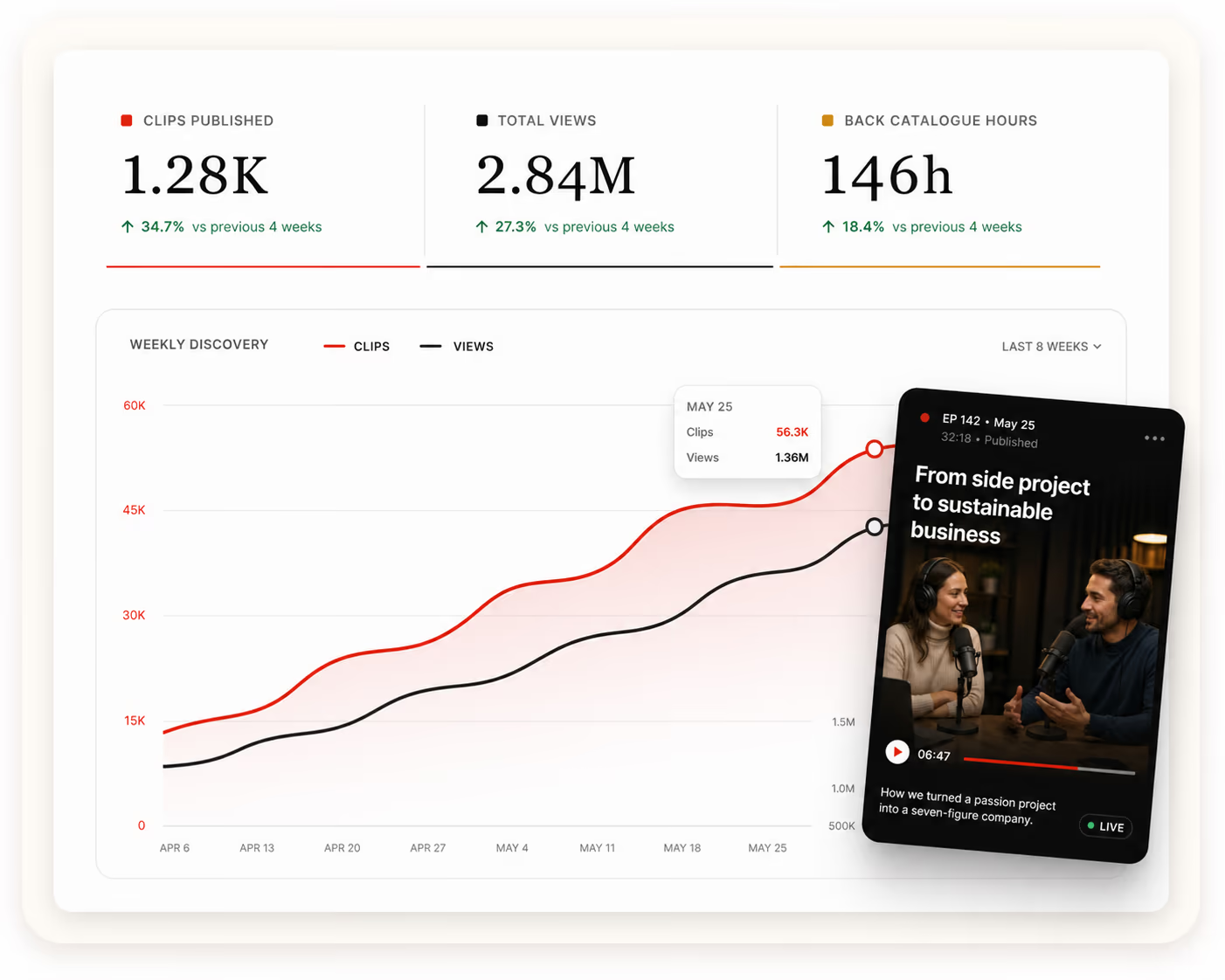
    Campaign dashboard for a podcast — clips published, total views and back catalogue hours over a weekly discovery chart, with an episode clip beside it
    How It Runs

    Three inputs, then it runs.

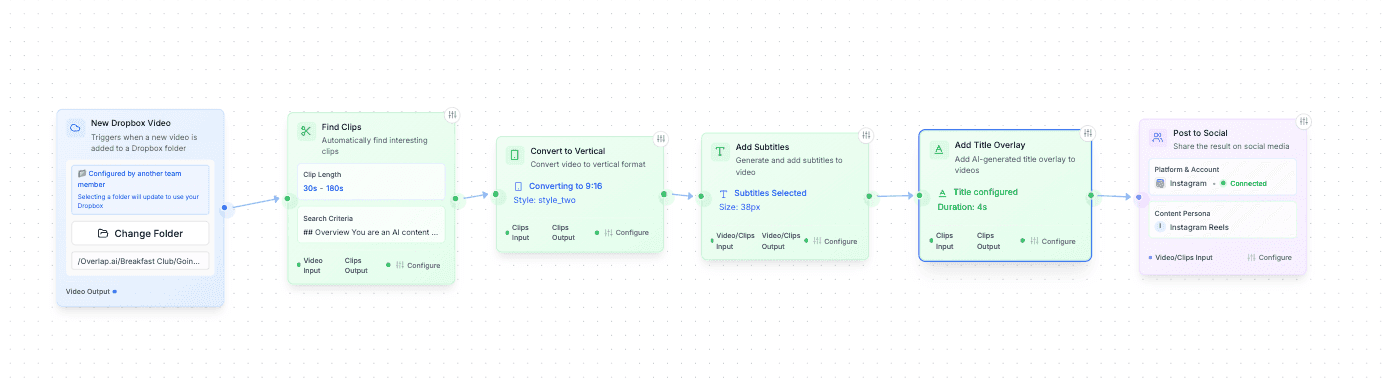
    Connect the show’s accounts, say how it should sound and look, and set the monthly ceiling. Cutting, captioning, publishing and reporting happen from there.

    Step 01

    Link the show’s accounts

    Connect the accounts the campaign publishes to across the nine platforms we support — TikTok, Instagram, YouTube, X, LinkedIn, Facebook, Threads, Snapchat and Bluesky. A clips handle can stay separate from the main show account, and both belong to you.

    Connected accounts
    • TikTok@yourbrandConnected
    • Instagram@yourbrandConnected
    • YouTube@yourbrandConnected
    + Add another account
    Step 02

    Set the show’s rules

    Choose the look, the caption voice, which handle posts where, and what a clip may never do — a cold-open spoiler, a sponsor read, a segment a guest asked you to leave alone.

    Brand kit
    youtube.com/@yourbrandScan
    • Palette
    • Caption voiceDirect, no emoji
    • LogoBottom-left, every clip
    • Needs reviewAnything off-brief
    Step 03

    Define a budget

    Set the monthly ceiling and agree the CPM. Spend follows delivered views and never runs beyond the limit you chose.

    Monthly plan
    Ceiling$25,000CPM$1.50
    • Views delivered12,160,000
    • Spend$18,240
    Budget used73%
    Retained Value

    The clips keep working after the campaign

    An ad stops the day the budget stops. A clips account does not: the handle, the followers and every clip stay with the show — so a listener who finds you in month one is still there in month six, and the library keeps pulling.

    Side by side
    After the campaignPosts stay live on your handles · OverlapThe output stops with the invoice · A clipper
    Where it runsAccounts the show owns · OverlapWherever the freelancer posts · A clipper
    What you pay forViews delivered · OverlapHours booked and clips shipped · A clipper
    Cost of reach$0.50–$2.50 CPM · OverlapBilled whether or not it lands · A clipper
    How much gets cutThe whole back catalogue · OverlapWhat one person can cut in a week · A clipper

    Yours to sell against

    An owned short-form audience is inventory a sponsor can be sold against, alongside the ad slots inside the episode.

    Yours to monetize

    Where an account qualifies for a platform’s creator payouts or revenue share, that revenue is yours.

    Yours to keep reaching

    Followers earned on one episode see the next one. Every month compounds instead of restarting at zero.

    Yours to run either way

    Keep running with us, hand the accounts to your producer, or leave them live. The login goes with the show.

    The Economics

    An editor bills hours. This bills views.

    A freelance clipper invoices the work — clips cut, thumbnails made, watched or not. We price the result: a ceiling, a rate per thousand views, and nothing charged for reach that never landed.

    Spend = delivered views ÷ 1,000 × agreed CPM

    Campaign Planner

    What your budget actually buys

    Views at that budget16.7MAt $1.50 CPM
    Estimated CPC$0.8330K estimated website visits

    A planning illustration: 6% of delivered views reach the profile, 3% of those continue to your site. Your ceiling and CPM are agreed with our team.

    Questions podcasters ask

    The audio or video you already publish — a feed or a channel we can pull from. The longer the catalogue the better a campaign runs: a show with two hundred episodes has far more worth clipping than one with five, and nothing has to be re-recorded.

    You set a monthly ceiling and agree a CPM between $0.50 and $2.50. Spend follows the views actually delivered and stops at the ceiling — there are no production fees, no minimum deliverables and nothing charged for reach that did not land.

    Wherever you want them. Many shows run a dedicated clips handle per platform so the main feed keeps its own rhythm, and some publish straight to the show account. Both belong to you either way.

    Clips come from the episodes you hand us, so whoever is in an episode can appear in a clip. Guidelines can exclude a guest, an episode or a segment, and anything outside them is held for review before it posts.

    From the platforms’ own analytics on posts published to your accounts, which you can see for yourself in the same dashboards. Every view is organic — nothing is boosted or bought — and a clip that was never posted is never billed.

    You do, and nothing is switched off. The handles, the followers and every clip published to them stay with the show, the posts are not taken down when billing stops, and the accounts are never repurposed for anyone else.