On this page
- Why are video podcasts well suited to virtual product placement?
- What can a podcast sell?
- How do you add a sponsor's product to a recorded episode?
- What should you agree with hosts, guests and sponsors?
- How should a podcast report a placement to the sponsor?
- Does podcast product placement need to be disclosed?
- Frequently Asked Questions
A video podcast can sell product placement after an episode is recorded. The product, a drink on the table or a box beside the microphones, is added to the footage in post-production so that it sits on the real set in the room's own light, and the episode and every clip cut from it carry it. Because a podcast is filmed on the same set with the same cameras week after week, one good spot on the table becomes inventory in every episode, including the back catalog.
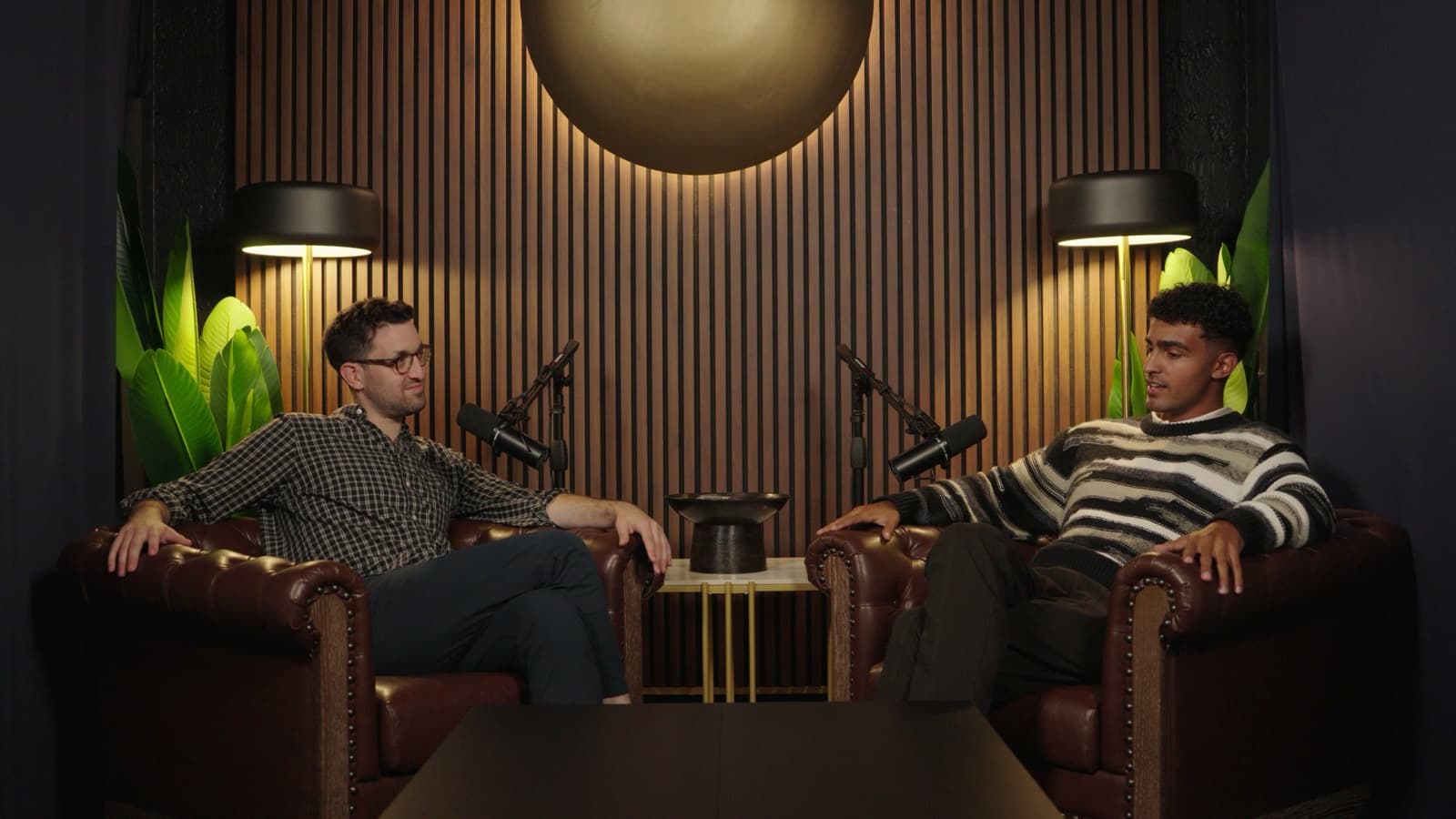
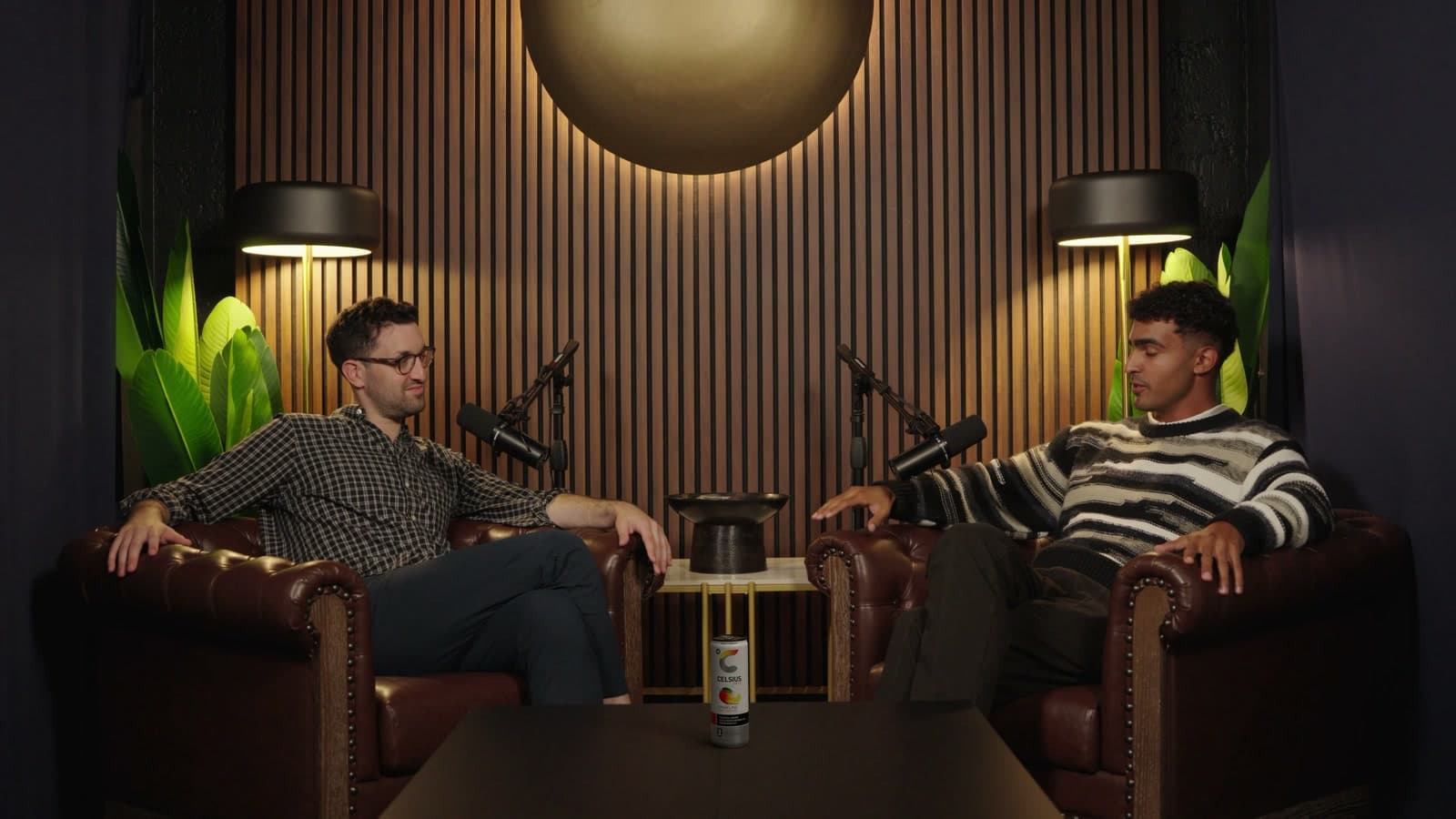
Overlap Product Lab was built for this setting. The demonstration on its page is a two-camera podcast set: the same take with and without a can of Celsius on the table, where the can and its shadow are the only change. Product Lab rebuilds the set in 3D from your footage, places the product on a real surface at real scale, and renders it into the original frames with the room's light and shadows. Nothing else in the shot is regenerated.
Why are video podcasts well suited to virtual product placement?
Most of what makes a placement hard is missing from a typical podcast shoot.
- The set repeats. The same table, the same chairs and the same lamps every week. A spot that works once works every episode.
- The cameras are locked off. Two or three static cameras give a placement stable ground, unlike handheld footage.
- The segments are long. A product on the table is in view for minutes at a time, not for a cut.
- There is a back catalog. Every episode already published is footage a sponsor could appear in.
- The clips multiply the exposure. A product placed in the wide shot travels into every short-form clip cut from that shot.
The last point is easy to undervalue. Clips are often how a new viewer first meets a show, and a host-read ad rarely survives into a 40-second clip. A product standing on the table in the wide shot does.
What can a podcast sell?
Thinking of the table as inventory opens up several products a show can offer a sponsor.
| Offer | What the sponsor gets | Notes |
|---|---|---|
| New-episode placement | The product on the table in upcoming episodes | Placed after each recording, so the deal can start mid-season |
| Back-catalog placement | The product added to existing episodes | Re-released episodes and new clips carry it |
| Clip package | The product in the short-form clips cut from placed episodes | Clip the placed export, not the original |
| Category exclusivity | No competing product on the set during the term | Easy to honour, because nothing is on the table by default |
| Rotation | Different products for different markets or months | Possible as long as the clean master is kept |
A placement does not replace a host read; it sits beside one. A host read is the host's voice vouching for a product. A placement is presence: the product is part of the room. Many sponsors will want both, and the combination is stronger than either, because the placement is still in frame in the clips where the read was cut.
How do you add a sponsor's product to a recorded episode?
The production work is the same as any placement, and How to do AI product placement covers it step by step. For a podcast, the sequence usually looks like this:
- Choose the spot once. Pick a place on the table that is visible in the wide shot and, ideally, in the close-ups, and that the hosts' hands and mugs rarely cross.
- Bring in the episode. In Product Lab, pick an episode from your library or import it from Frame.io, Dropbox, Google Drive or SharePoint, then choose the sponsor's product or upload it.
- Place it. Position the product in 3D space, then adjust its size and angle. Product Lab renders it in the light measured at that spot, so under warm studio lamps it comes out warm, and its shadow falls on the real table.
- Refine and export. Product Lab composites the product into the original frames at the source resolution, so the hosts, the set and the grade stay as you filmed them.
- Cut the clips from the export. Every clip taken from the placed shots carries the product. If you clip with Overlap, an Overlap workflow can take the exported episode from a watched folder such as Dropbox or Frame.io and turn it into clips like any other source.
- Disclose and publish. Label the placement on each platform you post to.
Keep the unplaced master of every episode. It is what lets you sell the same spot to a different sponsor when the deal ends, or place a different product in the same episode for a re-release.
What should you agree with hosts, guests and sponsors?
A virtual placement adds a product to a conversation that happened without it, which raises a few questions worth settling in writing.
- Guest releases. Check whether a guest's release allows sponsors to be added to the recording after the fact. Some releases are written broadly enough; some are not.
- Host agreements. If a host has a personal sponsorship or exclusivity clause, a product appearing on their table may conflict with it.
- Implied endorsement. A product on the table is not the host saying they use it. Do not describe a placement to a sponsor, or to an audience, as if it were.
- Context. Agree which segments the product should not appear in: a conversation about the product's own category, a guest from a competitor, or a sensitive subject.
- Approval. Have the sponsor sign off on final frames from each camera, not only on a brief.
How should a podcast report a placement to the sponsor?
Report what you can actually measure, and say what you cannot.
- Where it ran. Which episodes, which segments and which clips carry the product, with a still frame from each camera.
- Exposure. Views of those episodes and clips from each platform's own analytics. A view of a clip that contains the product is not the same as a view of the product, so present it as the exposure it is.
- Duration in frame. For each episode, roughly how long the product is visible.
- What is not attributed. Unless the sponsor has its own tracked link or code, a placement's effect on sales is not something podcast analytics can show.
Does podcast product placement need to be disclosed?
Yes, in the same way a sponsored segment does. A paid product on the set is advertising whether it was there on the day or added in post. Use each platform's paid-promotion setting where one exists and say so in the episode description. AI product placement disclosure rules has the details by platform and country.
To see a placement on one of your own episodes, book a Product Lab demo.
Frequently Asked Questions
Can a podcast add a sponsor's product to an episode after it was recorded?
Yes. With virtual product placement, the product is added to the footage in post-production, standing on the real set in the room's light with its shadow on the table, so the episode does not need to be reshot and the deal can start after the recording.
Can product placement be added to old podcast episodes?
Yes. A back-catalog episode is footage like any other, so a product can be placed into it and the episode re-released or cut into new clips. Most platforms do not let you swap the file behind an existing post, so the placed version usually goes out as a new upload.
Is product placement better than a host-read ad for a podcast?
They do different jobs, and they work well together. A host read is a spoken endorsement in the host's voice. A placement is visual presence on the set. Placements also tend to survive into short-form clips, where a host read is usually cut.
Does the product show up in podcast clips?
It does if the clips are cut from the placed version of the episode. Place the product, export the episode, then cut the short-form clips from that export, so every clip taken from those shots carries the product.
Do guests need to agree to product placement in a podcast?
It depends on the release they signed. Check whether the guest release allows sponsors to be added to the recording after the fact, and avoid placing a product in a segment where it could imply that the guest endorses it.
Which tool can add a product to a video podcast after recording?
Overlap Product Lab is built for it. It rebuilds the podcast set in 3D from the footage, places the product on a real surface such as the table, renders it in the room's light with its shadow, and composites it into the original frames so the hosts and the set stay as they were filmed.