On this page
- What actually pays for a podcast clip?
- Why a million social views may tell you little about episode revenue
- Spotify's expansion is a reason to check eligibility, not assume a payout
- Calculate production savings and new revenue separately
- Sell a specific package to a sponsor
- Build the workflow around the commercial brief
- A monthly review that can change the next decision
AI video clipping tools can improve podcast monetization by reducing the work needed to create useful promotional or sponsored clips. Whether that turns into additional revenue depends on what the clips sell, what the audience does next and what the production costs. A larger view count alone cannot answer that question.
The most useful starting point is a revenue route: a sponsor pays for a defined social deliverable, a viewer buys a membership, or eligible consumption earns a platform payout. Write down which route applies before deciding how many clips to produce.
What actually pays for a podcast clip?
Three routes often get mixed together in a campaign report. They can coexist, but their evidence and obligations differ.
| Revenue route | What earns money | What to retain |
|---|---|---|
| Sponsored social deliverables | The work and results specified in the sponsor agreement. | Approved posts, delivery dates, agreed metrics and payment records. |
| Memberships, products or services | A purchase or engagement with a measurable commercial value. | Destination, campaign labels, transactions and relevant costs. |
| Platform monetization | Activity eligible under the particular program's rules. | Current eligibility, qualifying activity and the platform's payout report. |
A clip can also serve a discovery goal with no immediate sale. That is a valid editorial investment. Give it a discovery budget and evaluate the observable audience response, rather than treating every new viewer as revenue already earned.
For clipping agencies paid by a client or campaign, distinguish the agency's fee from the podcast's eventual audience revenue. Our Content Rewards payment guide explains CPM, per-post and retainer arrangements. Those commercial agreements do not establish eligibility for a social platform's own rewards.
Why a million social views may tell you little about episode revenue
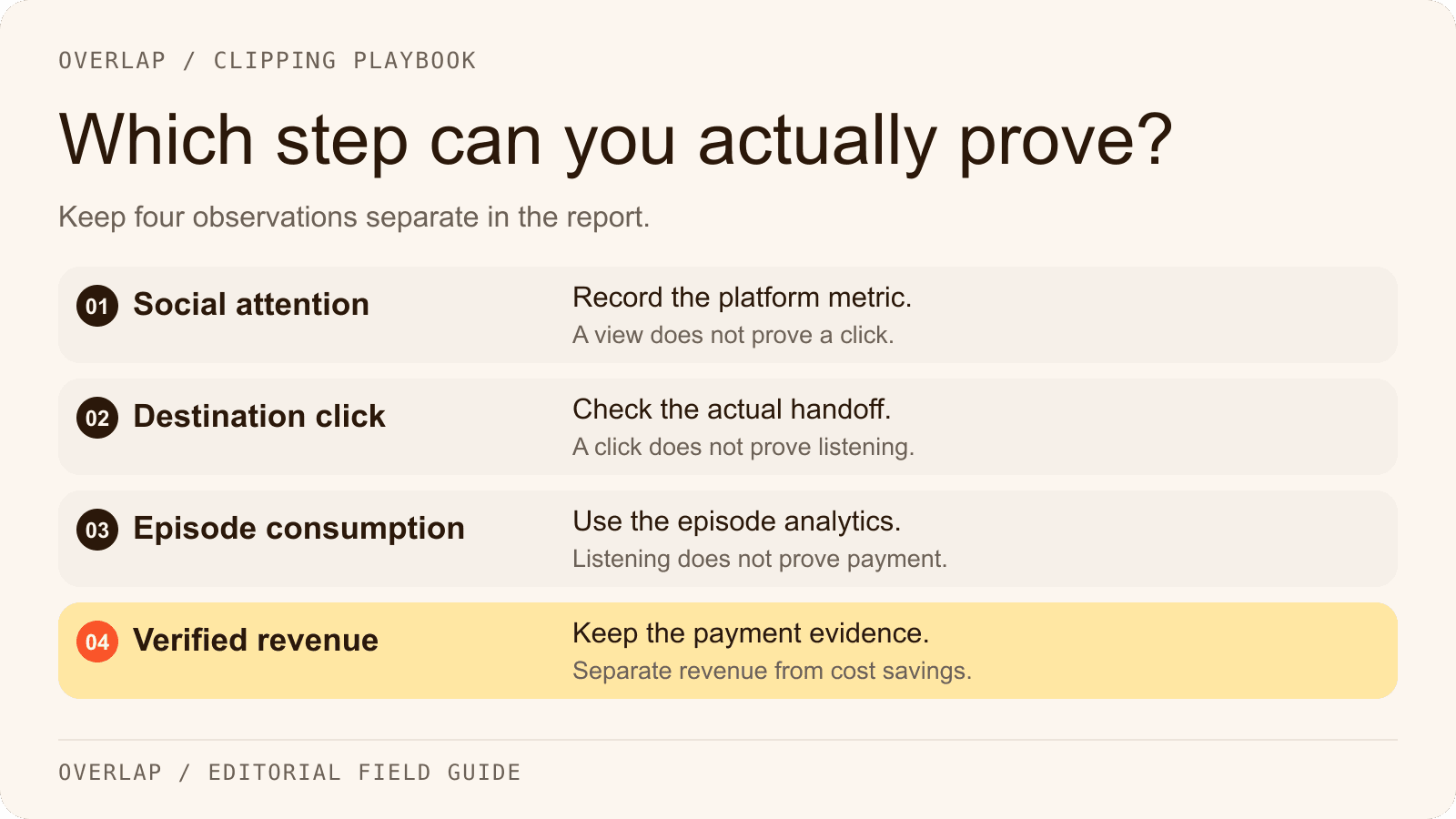
Social viewing, clicking, listening and paying are separate events. A person may enjoy a short answer without wanting an hour-long interview. Another may remember the show and search for it days later, leaving no reliable click trail for that particular clip.

Keep the platform's metric definition with the number. For example, YouTube distinguishes public Shorts views from engaged views; the latter remain relevant to Shorts eligibility and ad revenue. That makes a raw view total a poor substitute for a payout report. Source: YouTube's Shorts view-count guidance.
For episode promotion, send viewers to the actual episode and state what more it offers. If the clip explains a hiring mistake, the full conversation might provide the interview process that replaced it. A general “listen to the podcast” instruction is less specific than that promise.
Report attribution in layers. You may observe a click to your site, a listening-app handoff and a change in episode consumption without being able to connect all three to the same person. Label the gap. Do not multiply unrelated dashboards into a conversion rate.
Spotify's expansion is a reason to check eligibility, not assume a payout
On September 17, 2026, Spotify announced plans to expand its Partner Program to more than 35 new markets later this fall, including Italy, Spain, Brazil, Mexico and Colombia. The program combines eligible premium video consumption revenue with advertising opportunities. The announcement is not confirmation that every newly listed market or show is eligible today. Source: Spotify's expansion announcement.
Check the program status and current requirements in the show's Spotify for Creators account before making it part of a revenue forecast. Record the date and which show/account you checked. A market announcement and enrollment for a particular podcast are different milestones.
A social clip can help someone discover a participating show, but that social view is not itself proof of eligible Spotify consumption. Keep the original episode's distribution and monetization setup with the podcast team. Overlap's documented social publishing destinations do not include Spotify, so this guide does not assume an automated Overlap-to-Spotify publishing integration.
The same discipline applies elsewhere. Review YouTube's announced 2027 Shorts changes against their effective date, and check X Original Content Rewards restrictions before building a payout forecast around automated clipping.
Calculate production savings and new revenue separately
Consider an illustrative monthly operation producing 24 approved clips. These numbers are invented for the calculation, not quoted prices or measured Overlap results.
Suppose manual production takes 30 minutes per accepted clip. At an internal labor cost of $40 an hour, 12 hours cost $480. Now suppose a proposed workflow costs an allocated $100 in software, takes four hours of review at the same labor rate, and requires one hour of setup and reporting that month. Its modeled cost is $300: $100 + $160 + $40.
The modeled saving is $180. Additional revenue so far is $0. That may still be a worthwhile result, provided the comparison includes equivalent output quality and all the actual work.
Now add a hypothetical $500 sponsored social package that the team actually sells and delivers. If it requires another $80 of work, it contributes $420 before any other applicable costs. Keep that commercial result separate from the $180 production saving; do not describe $600 as new sales. And if the sponsor package would have sold under the old workflow too, it is not all incremental revenue caused by automation.
Replace these inputs with your own time records, accepted-clip count and cost allocation. Include rejected candidates, revisions, account checks and reporting. Time per generated clip is often less informative than time per approved, usable deliverable.
Sell a specific package to a sponsor
A sponsor needs to know what it is buying. “We'll make clips go viral” leaves the production scope and commercial obligation undefined.
A practical proposal names the source episode, number of deliverables, publishing accounts, review rights, timing, permitted reuse and reporting window. Decide who approves sponsor claims and what happens if a clip needs a correction. If payment depends on views, define the qualifying views and measurement source in the agreement.
Sell what the team can deliver and describe estimates as estimates. An existing show audience, a useful subject and a reliable publishing operation may support a compelling offer without a guaranteed reach figure.
When a sponsor asks for proof, provide the actual posts and the agreed reporting. Separate distribution outcomes from production efficiency. Faster editing is valuable to the producer, but a sponsor usually wants to understand the audience response and the work it purchased.
Build the workflow around the commercial brief
Overlap's Find Clips node can use an editorial prompt and duration bounds to select candidates. Tell it the audience, the useful question and the exclusions. For sponsored work, make the permitted segment and review requirement explicit; inspect the resulting clip against the source and the brief.
Continue through framing and captions, then approve the actual edit before publishing. The Post to Social node supports account selection, scheduling and manual approval for documented social destinations. That reduces repeated production handoffs while preserving a place for the decision that matters: whether this file is appropriate for this account and agreement.
The complete AI clipping workflow guide includes an approved real export and a sample selection prompt. Use it to inspect the production process; it is not a revenue experiment or a forecast of your show's results.
A monthly review that can change the next decision
Use the downloadable podcast clip review log to keep the source, approved post, destination, costs and observed outcomes together. Review a consistent cohort of releases after the same amount of time.
Answer these questions before increasing output:
- Which clips reached the intended audience, and what observable action followed?
- Which revenue is supported by an actual payment or platform report?
- How much time did the team spend per accepted deliverable, including corrections?
- Which results can be associated with a campaign, and which remain unattributed?
- What single change to the brief, destination or offer is supported by the evidence?
If production cost falls but listeners do not grow, examine the audience question and destination. If clicks grow but purchases do not, inspect the offer before demanding more clips. If a sponsor renews because the work is useful and consistently delivered, retain that evidence rather than replacing it with an unsupported industry multiplier.
Start with one show, one commercial route and a cost you can measure. Explore Overlap's workflows or bring an episode to a walkthrough to map the production steps around that brief.