On this page
Threads' new podcast tools give a show more ways to connect a social post to an episode. For a podcast team, the useful experiment is simple: publish a clip that answers one question, point to the exact episode that develops it, and measure whether people take that next step.
A clip can earn attention while leaving the viewer with no idea what the show is called. It can also work perfectly as a standalone answer, giving that viewer no reason to leave the feed. Better packaging starts by deciding which job this particular clip should do.
What changed in Threads' podcast toolkit?
Meta announced the rollout on September 16, 2026. It includes show banners, episode selection and tappable podcast cards, transcript/video/guest posts, episode saves and Podcast Insights with clicks and saves. Creators can opt into reminders to share new episodes. That reminder prompts the creator; it does not itself publish an episode announcement. Check which controls have reached your account. Source: Meta's announcement.
Those additions make an editorial gap worth fixing: the distance between “interesting person saying something” and “specific show with something more I want to hear.” A better link cannot repair an excerpt that misrepresents the conversation. It can help a well-chosen excerpt send the reader somewhere useful.
Build a three-part release pack
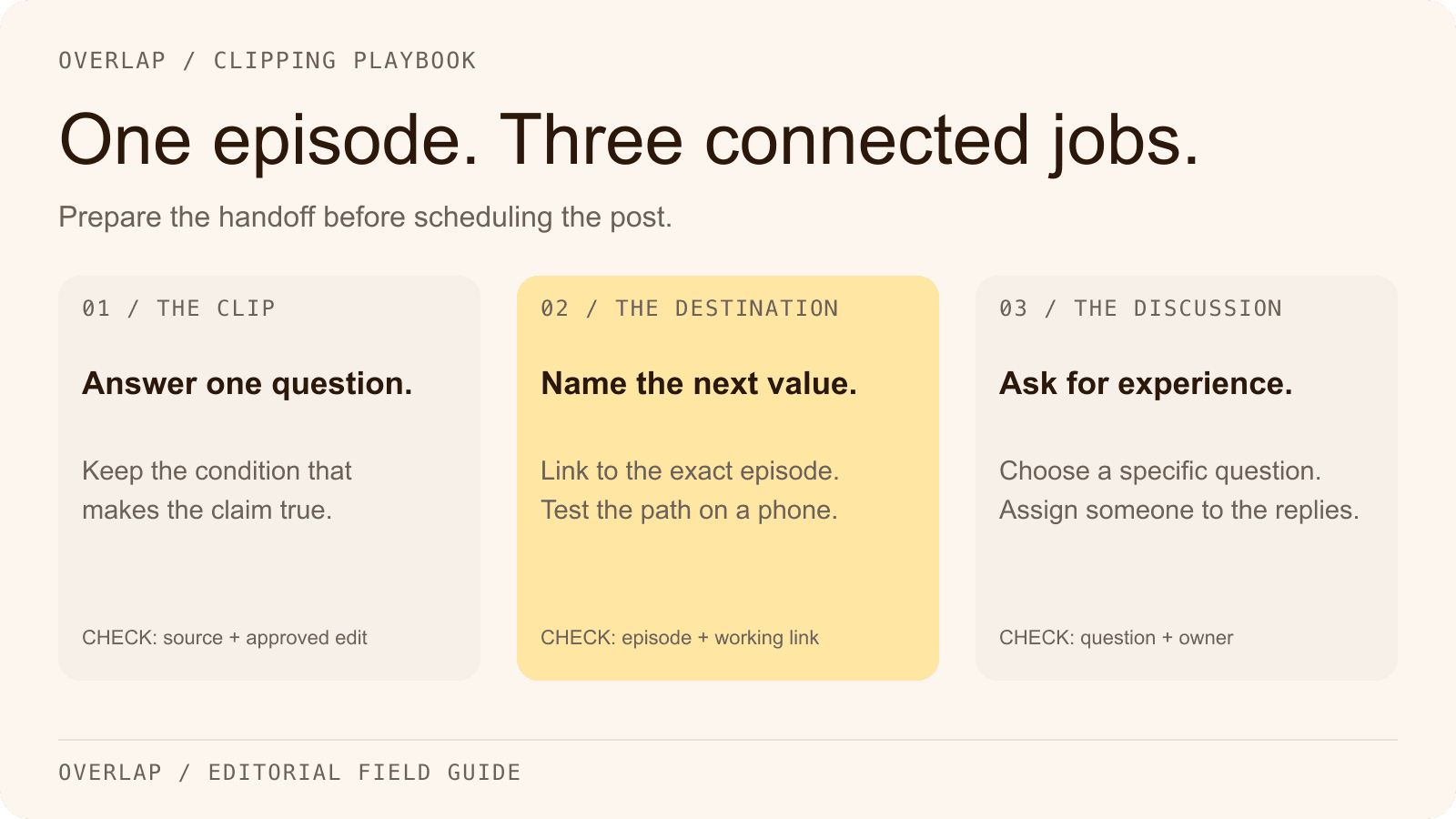
Prepare the clip, the destination and the discussion prompt together. If different people own those tasks, give them one shared episode record before anyone schedules a post.

The clip: deliver one complete point
Imagine a hypothetical interview with a restaurant owner who stopped discounting every quiet Tuesday. The useful excerpt explains what they tried instead and the condition under which it worked. Keep that condition. “Discounts never work” would be a punchier claim than the guest actually made.
Start where a stranger can understand the decision. Finish after the answer. Save a second, genuinely different question for the episode destination: perhaps how the owner measured repeat visits over the following month. This gives the full episode a distinct value without withholding the answer promised by the clip.
In an Overlap Find Clips brief, describe the decision, the audience and the needed context. An example:
Find a self-contained explanation of a business decision, including the alternative considered and the condition that made the decision work. Keep the qualification. Exclude introductions, sponsor reads and advice that depends on a chart the viewer cannot see.
The output still needs an editor's judgment. “Self-contained” is something to check against the source recording, not a property to assume because a clip has captions.
The destination: make the next promise precise
Link to the episode being discussed. A general show homepage makes the visitor locate the conversation again; a generic link hub adds another choice before they can listen.
Write the destination's promise in plain language: “The full conversation includes the repeat-visit tracking method.” Confirm that it actually does. If the episode page is yours, include a short description, an accessible player or listening options, and the relevant chapter or timestamp when available.
Open the published destination on a phone. Confirm the title and guest match, the episode is available, and the visitor can reach playback. Do this after changing the link as well as before scheduling. The last person to edit a caption should not have to guess which episode URL is final.
The question: invite experience that advances the discussion
“Thoughts?” asks the audience to invent a topic. “What did you measure before deciding a promotion worked?” gives restaurant operators something concrete to answer.
Assign someone to read the replies. A useful response might reveal a missing constraint, suggest a follow-up interview or identify a stronger clip from the same recording. If every reply receives the same instruction to listen to the episode, the team has missed a chance to learn why people cared.
A release record you can copy
Use this compact handoff for every episode. The sample details below describe the hypothetical restaurant interview, not an Overlap customer result.
| Field | Example or instruction |
|---|---|
| Audience question | How do I evaluate a slow-night promotion? |
| Source moment | Record episode ID, start/end time and the retained qualification. |
| Clip promise | The owner explains the decision to change the Tuesday offer. |
| Episode promise | The full interview covers how repeat visits were measured. |
| Destination | Exact episode URL, checked on mobile after publishing. |
| Discussion | What did you measure before deciding a promotion worked? |
| Owner and review | Name the editor, publishing account and person handling replies. |
That record is also useful six weeks later. It lets the team distinguish a weak topic from a broken link, an unclear invitation or a clip that answered a different question from the destination page.
Where Overlap fits in a Threads workflow
Overlap can connect source material to clip selection, vertical framing, captions and review. Its documented Post to Social node includes Threads as a destination, with account selection, scheduling and manual approval.
Treat the new native podcast presentation as a separate publishing check. The node documentation does not establish support for Threads' episode picker, podcast cards or Podcast Insights. Prepare the approved clip in Overlap, then verify the required native controls in Threads before promising that format to a client. Avoid scheduling a standard post and manually publishing the same release a second time by accident.
For an agency, make that handoff part of the scope: who attaches the episode, who checks the final post, who reads the responses, and where the results go. A delivered video file and a completed podcast release are different amounts of work.
Measure the handoff, then decide what to repeat
Keep four observations separate: post reach, episode-link clicks, saves and listening behavior visible in your podcast analytics. A save expresses interest; it does not prove someone listened. A link click shows a handoff; it does not prove they finished an episode.
If a Threads post sends people to a page you control, use a consistent campaign label and retain the post URL in your release record. If listeners then open another app, your attribution may stop at that handoff. Report the observable step honestly instead of filling the gap with an assumed conversion rate.
For the first review, compare several releases after the same amount of time. Record topic, guest, clip length and any unusual promotion. This is a directional comparison: different episodes and audiences prevent a clean claim that the new packaging caused the difference.
Choose the next edit based on the failure you can see. Low clicks despite relevant discussion may call for a clearer episode promise. Clicks followed by confusion on your landing page call for a better destination. Plenty of views with little relevant response may mean the clip attracts the wrong audience for the show.
Start with one episode and one audience question. Build the approved assets in Overlap, finish the platform-specific handoff, and keep the release record beside the results. For the next step beyond discovery, use the podcast clip monetization guide to separate audience growth from money earned.