On this page
- Where to find Get feedback for YouTube Shorts
- Keep three kinds of evidence separate
- Three edits worth making, and three worth rejecting
- Run one focused revision per candidate
- Use a review log that survives the upload
- Get feedback, Ask Studio and Overlap have different jobs
- What should change after you publish?
YouTube's Get feedback option gives Shorts creators another review step before publishing. For podcast clips, use it to identify an edit worth considering, then check that edit against the original conversation. A faster opening is useful only if it still says what the speaker meant.
The important output is an editorial decision you can explain: what changed, why it changed and what evidence would make you use that change again. An automatically generated suggestion is the start of that decision.
Where to find Get feedback for YouTube Shorts
As checked on September 17, 2026, YouTube Help describes the option in the mobile Shorts creation flow. Create or edit a Short, continue to its details, then choose Get feedback for analysis of aspects such as the hook and pacing before uploading or saving a draft. Use the option if it is present in your account; the help page does not establish that every account has it. Source: YouTube Shorts creation help.
This article's review method also works without the button. An editor can ask the same questions of the opening, the explanation and the ending. Do not hold an otherwise approved publishing schedule indefinitely for a feature your account cannot access.
Keep three kinds of evidence separate
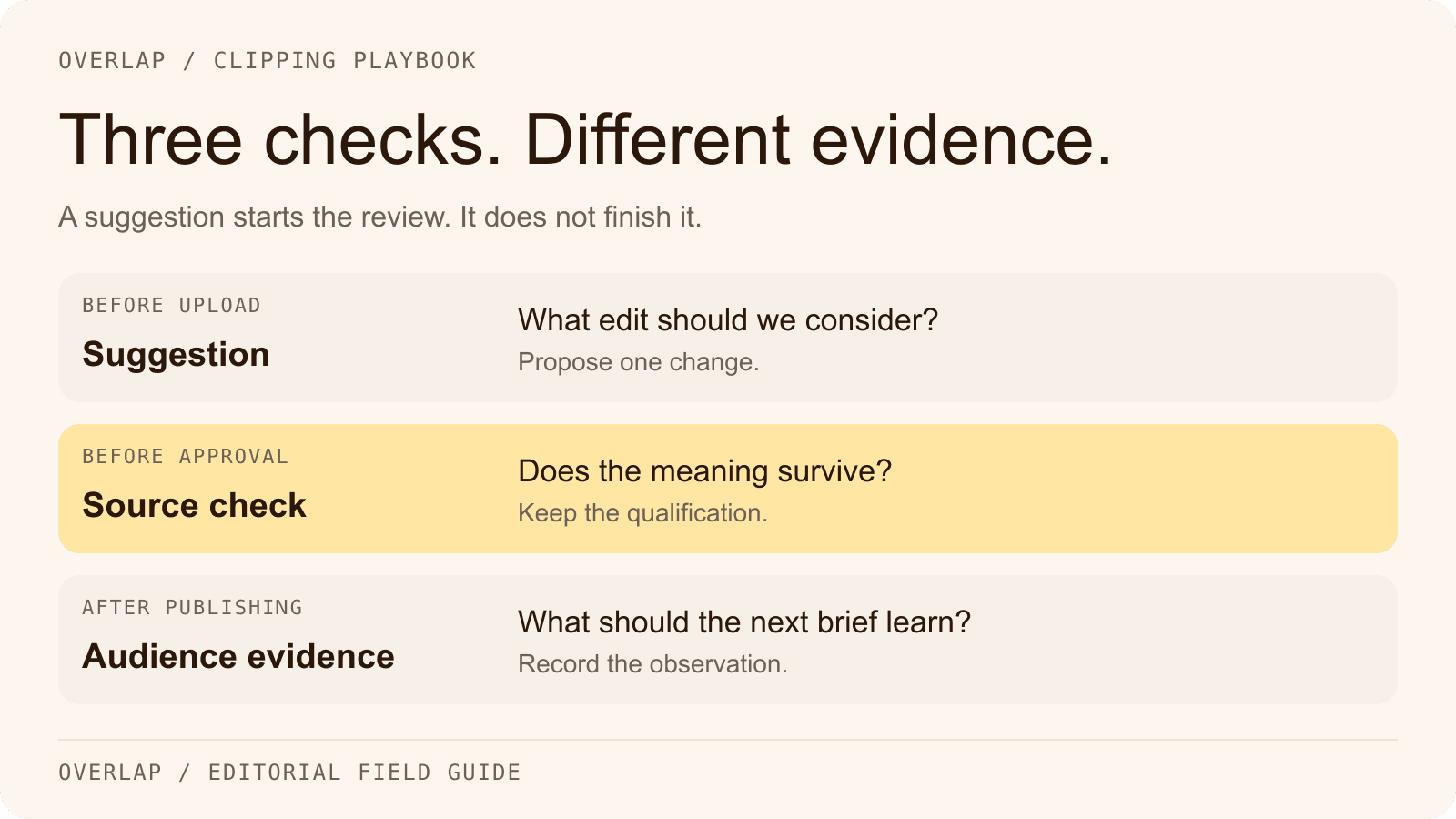
A pre-publish suggestion, an editorial judgment and audience behavior answer different questions. Combining them into a single “good clip” score makes it hard to learn anything from the next upload.

The suggestion tells you where to look. The recording tells you whether the proposed cut is accurate. The published result tells you how viewers actually responded under that upload's conditions. None replaces the others.
Suppose the advice is to reach the point earlier. Before removing the first sentence, identify its job. Is it an introduction? A definition? A correction to the host's premise? The same suggestion can lead to a harmless trim in one clip and a misleading statement in another.
Three edits worth making, and three worth rejecting
The examples below are invented to illustrate editorial decisions. They are not outputs from YouTube's feedback system or results from a customer test.
1. A stronger hook that keeps the subject
Source: “For the three shops we manage, Tuesday discounts brought in first-time customers, but almost none came back without another offer.”
A tempting title is “Discounts don't work.” It erases the scope and overstates the outcome. A more faithful opening is “The Tuesday discount got a first visit. The return visit was the problem.” That is suitable as editorial title text only if the clip supports it; do not present a rewritten sentence as a verbatim guest quote.
If the guest's opening already delivers the point, keep it. Strengthening a hook does not always require moving the loudest line to the front.
2. Faster pacing that preserves the reason
Source structure: a long introduction, the decision, a pause, the condition that changed the decision, then the result.
Try removing the introduction if the clip can stand alone without it. Keep the condition. If cutting a pause makes a thoughtful correction sound like certainty, leave enough room for the listener to hear the change in position.
Check the edited audio without looking at the captions. A splice can create an unnatural emphasis or combine clauses in a way the transcript alone will not reveal. Then watch with sound off to inspect the on-screen wording.
3. A shorter ending that still pays off the opening
Source structure: a practical question, an explanation and a one-sentence answer at the end.
An editor trying to reach a duration target may cut that last sentence. The result feels faster because the viewer never gets the answer. Instead, remove repetition in the middle or choose a different excerpt that fits the intended length.
The ending should close the promise made by the opening. A separate invitation to the full episode can point to a deeper question, rather than charging the viewer an extra click for the answer they were already promised.
Run one focused revision per candidate
Choose the highest-value issue before changing anything. If you alter the opening, captions, music, length and ending at once, the final version may improve, but you will have little basis for identifying which edit helped.
Use this sequence during review:
- Watch the candidate once at normal speed. Write the point in a sentence without consulting the caption.
- Record the feedback and select one proposed change. Name the exact source moment it affects.
- Rewatch the surrounding source. Check names, numbers, conditions and whether the speaker is quoting someone else.
- Make the edit, then review the complete exported file. Confirm the title and captions still agree with the audio.
- Approve or reject the revision, retaining the reason and the version that will actually publish.
A reviewer should be able to say “removed nine seconds of introductions; retained the condition about the three shops.” “The AI said this was better” is not enough information for the next editor.
Use a review log that survives the upload
Copy the podcast clip review log into your team's notes. It records the source timestamp, proposed edit, decision, approved version, destination and later observations. It also has a separate revenue section for teams that need to connect publishing work to commercial results.
Keep rejected advice too. After several episodes, you may discover that the same kind of suggestion consistently removes useful context from your show's format. That is a reason to improve the review rule, not a reason to keep applying the suggestion automatically.
Avoid using a second upload as if it were a controlled experiment. Posting two versions at different times exposes them to different audiences and conditions. You can still collect useful observations, but label the comparison as directional.
Get feedback, Ask Studio and Overlap have different jobs
YouTube also documents Ask Studio, which can help with scripts and give feedback on selected draft, private or unlisted videos. It is a separate Studio experience; do not assume instructions for it describe the Shorts Get feedback button. Use approved material and verify its suggestions. Source: Ask Studio help.
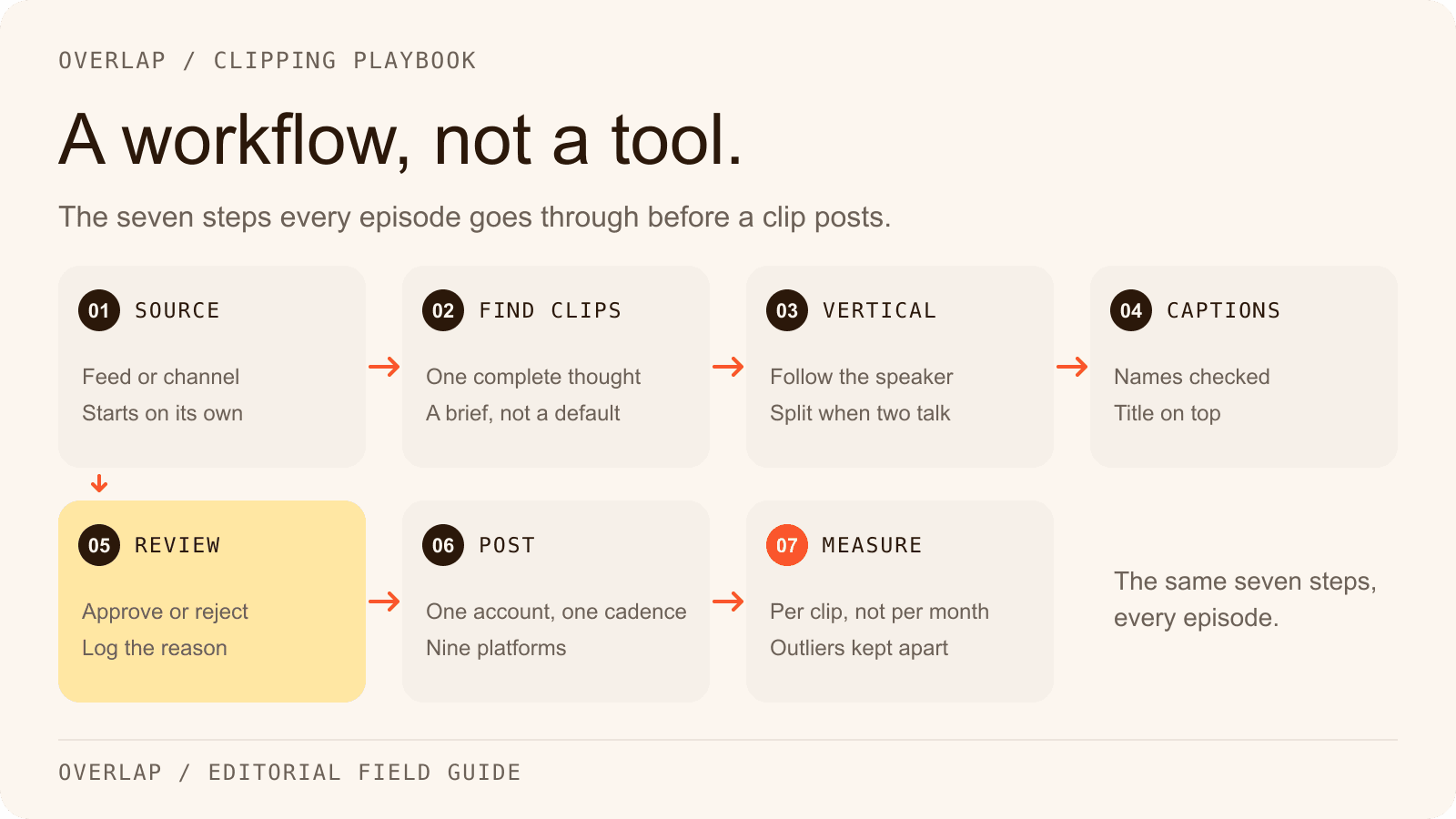
In Overlap, build the production sequence with Find Clips, framing, captions and review. The workflow guide shows the handoffs and includes a real finished clip you can inspect.
If you want YouTube's native feedback to be a required gate, route the candidate through that review before its final release. Overlap's documented Post to Social node supports approval and publishing to YouTube Shorts, but does not document an integration with Get feedback or Ask Studio. Choose one final publishing owner so a manual upload does not duplicate an already scheduled post.
What should change after you publish?
Review audience evidence at a consistent age after upload. Look for where viewers lose the thread, what they ask in comments and whether the clip attracts the audience the show was made for. Use retention information available in the channel's analytics alongside the actual content; a dip alone does not tell you why someone left.
Carry one observation into the next selection brief. For example: “Clips that start with an unnamed ‘they’ require too much setup; start at the sentence that identifies the subject.” That instruction can improve future candidates before anyone opens the review screen.
Performance review and earning eligibility remain separate. A well-edited Short does not establish eligibility for revenue sharing. See the YouTube Shorts monetization changes guide for that policy question, and use the review log to make the next editorial decision more precise.